
Ann Arbor, MI
2008
Enterprise (1,000+ employees)
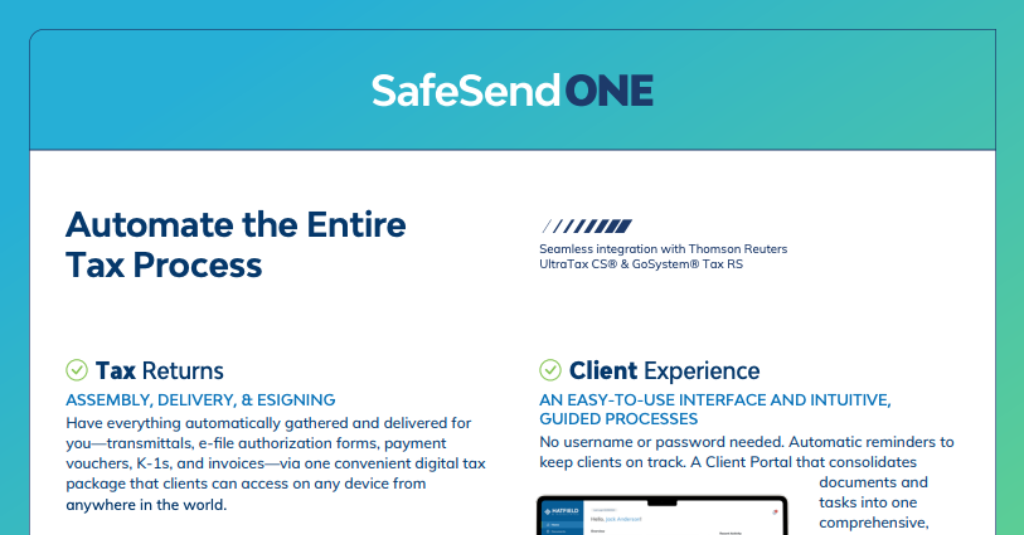
SafeSend is an automation technology for tax and accounting firms to provide an unrivaled client experience. A single, secure solution for engagement letters, fillable organizers, source document gathering, file exchange, extensions, tax return assembly, delivery, e-sign, and electronic K-1 distribution. Thousands of firms save an average of $12K for every 1K returns delivered via SafeSend. SafeSend equips firms to serve their clients with a guided and intuitive experience across all touchpoints, including automated reminders, online payment options, tax return summary — and more — all in one place. SafeSend currently supports CCH Axcess™ Tax and ProSystem fx® Tax, Thomson Reuters UltraTax CS® and GoSystem® Tax RS, and Intuit Lacerte®.
All Firm Sizes
Head of Tax / Tax Partner; Director of Operations; Practice Manager; Technology Director / IT Lead
Tiered Pricing
Phone, Email, Live Chat
2024
Contact for pricing
Partner, Rick C. Reed & Company, PLLC
President, CRS CPAs
Owner, Joyce Anderson CPA, LLC
SafeSend One sits around your tax-preparation system and automates many of the client and administrative steps before and after preparation. Depending on the package you select, your firm can use it for engagement letters, organizers, document requests and uploads, secure file exchange, e-signatures, extensions, return assembly and delivery, K-1 distribution, payments, reminders, and client status tracking.
No. SafeSend One does not calculate or prepare the tax return. Your team continues to prepare returns in a supported tax system, then SafeSend One can automate intake, transfer prepared returns into the delivery workflow, collect signatures and payments, distribute documents, and track client completion.
SafeSend currently documents integrations with UltraTax CS, GoSystem Tax RS, CCH Axcess Tax, and Intuit Lacerte, and compatibility with ProSystem fx Tax. It also supports TaxCaddy, Stripe, CPACharge, and API connections. Confirm the exact functions available for your tax system because the depth of automation can differ by integration.
Clients receive a guided digital experience for completing tasks such as uploading documents, reviewing returns, signing forms, making payments, and receiving K-1s. SafeSend emphasizes password-free access for many workflows, knowledge-based authentication and two-factor authentication where applicable, automated reminders, and a centralized client portal for tasks and documents.
You can choose the portion of the workflow you want to automate. Essential Deliver focuses on tax returns, e-signatures, extensions, secure file transfer, the client portal, and in-office e-signing. Essential Gather focuses on Gather AI, organizers, e-signatures, secure file transfer, and the portal. Premium combines the broader intake-through-delivery workflow with additional tools such as Letter Builder and API connections.
Your firm can send tax forms and other documents for e-signature, batch-process engagement letters, use mail merge, set parallel or sequential signing, and automate signature reminders. SafeSend also supports knowledge-based authentication for applicable tax forms and centralizes signature status so staff can see what is still outstanding.
SafeSend states that SafeSend One is SOC 2 Type 2 certified and provides encrypted secure file transfer, authentication controls, and guided client access. Because tax documents contain highly sensitive information, your firm should still review SafeSend’s current security documentation, retention settings, user permissions, and contractual terms as part of its vendor-risk process.
The average implementation time is three to four hours, but the practical rollout will depend on your integrations and workflow. Plan to configure templates and settings, decide which return types and client groups will use the system, assign staff responsibilities, test your tax-software connection, train employees, and communicate the new process to clients before a major deadline.